Computer Laboratories
Windows - OpenVPN Connect
OpenVPN Client for Windows is available at the project site.
Instructions for previous versions of OpenVPN can be found here.
You need administrator rights to install OpenVPN.
During installation system could ask you Would you like to install this…. It's installation of virtual network interface card, that is needed to VPN right functioning.
The configuration file required for authorization can be found in the WMI panel.
Run the OpenVPN Connect program and follow the instructions below.
Select File in the upper right corner.

Select Browse and find the configuration file.

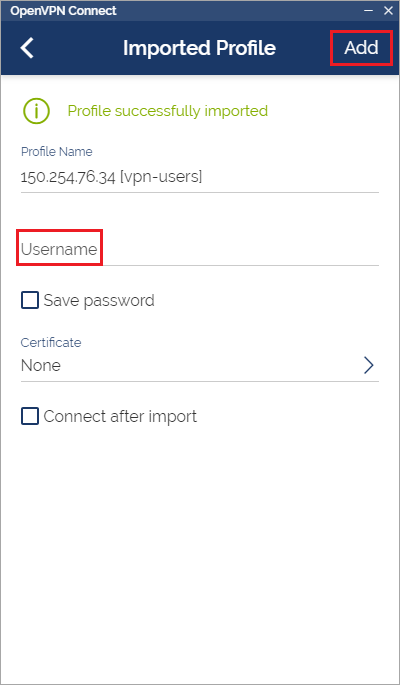
Enter the username in the Username field and then select Add.
Expand the list in the upper left corner and select Settings.
Find the Allow Compression section and select Downlink only.

Return to the profile screen and turn on the previously added one.
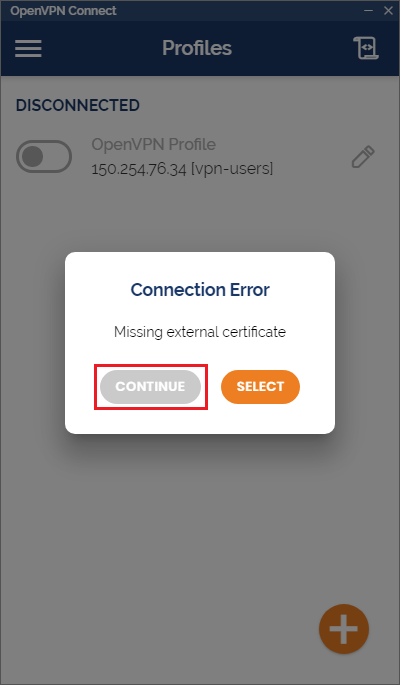
Enter the password and choose Continue during the certificate prompt.